Care.com: Find Caregiver Jobs
- 4.6
- Rating
- 1.00M
- Installs
- Free
- Price

 Analysis by App-foxy
I came away from Care.com: Find Caregiver Jobs with a clear impression: it is most useful as a starting point for people who want to turn practical care skills into paid work, not as a complete replacement for careful hiring. The app brings several kinds of opportunities together in one place, including child care, senior care, pet care, and housekeeping. That broad focus makes it more flexible than a service built around only one type of work, but it also means you need to be selective when deciding which listings actually fit your experience, schedule, and comfort level.
Care.com Inc developed this free Lifestyle app for people looking for caregiver jobs as well as households searching for help. It is available to everyone by age rating, and the app has built a substantial audience: more than a million installs, with an average rating of 4.6 from roughly fifteen thousand ratings and about six thousand reviews. Those figures suggest that the idea is resonating with many users, although a strong store rating should not replace your own checks before accepting work involving children, older adults, pets, or someone’s home.
How the app works in everyday job searching
The most natural way to use the app is as a job-discovery tool. Instead of asking friends, posting in local groups, or checking several unrelated job boards, you can look through care-related opportunities in one dedicated place. The range is important because care work is not one single profession. Someone with experience entertaining children may have no interest in elder support, while a reliable housekeeper may prefer recurring home tasks over personal care. Having those paths together helps you compare possibilities without treating them as interchangeable.
You May Also Like

 Blood Strike: 2.5 Anniversary
Blood Strike’s Loadouts Turn Every Drop Into a Tactical Gamble
A close look at Blood Strike’s custom loadouts: how fast access to signature weapons reshapes its battle royale rhythm, rewards preparation, and narrows the gap between fights.

 Pandora - Music & Podcasts
Pandora’s Music Is Easy to Start, but Harder to Recover
Pandora’s strength is its low-effort path from a seed to a station. Its weak spot is how much confidence it asks you to place in connection, setup, and quiet recovery.

 8 Ball Pool
 Is Built on Rivalries, Rematches, and Routine
A close look at the rivalries, rematches, shared routines, and unanswered safety questions that turn a quick pool match into a persistent mobile community.

 Samsung Music
’s Quiet Strength Is Playing What You Already Own
Its reach comes less from spectacle than from dependable access to a personal library. That simplicity is both the app’s strongest retention engine and its ceiling.

 AccuWeather: Weather Radar
AccuWeather Review: A Quick, Clear Forecast for Everyday Decisions
For everyday plans, the best forecast is the one you can understand quickly. AccuWeather makes rain timing, radar, and local conditions easy to act on, with a few trade-offs.

 Hill Climb Racing
Why Hill Climb Racing Still Turns Crashes Into One More Run
A tiny car, a bumpy hill and one more upgrade: Hill Climb Racing keeps resurfacing because its simple chaos makes every near-miss feel personal.
More From Our News Desk



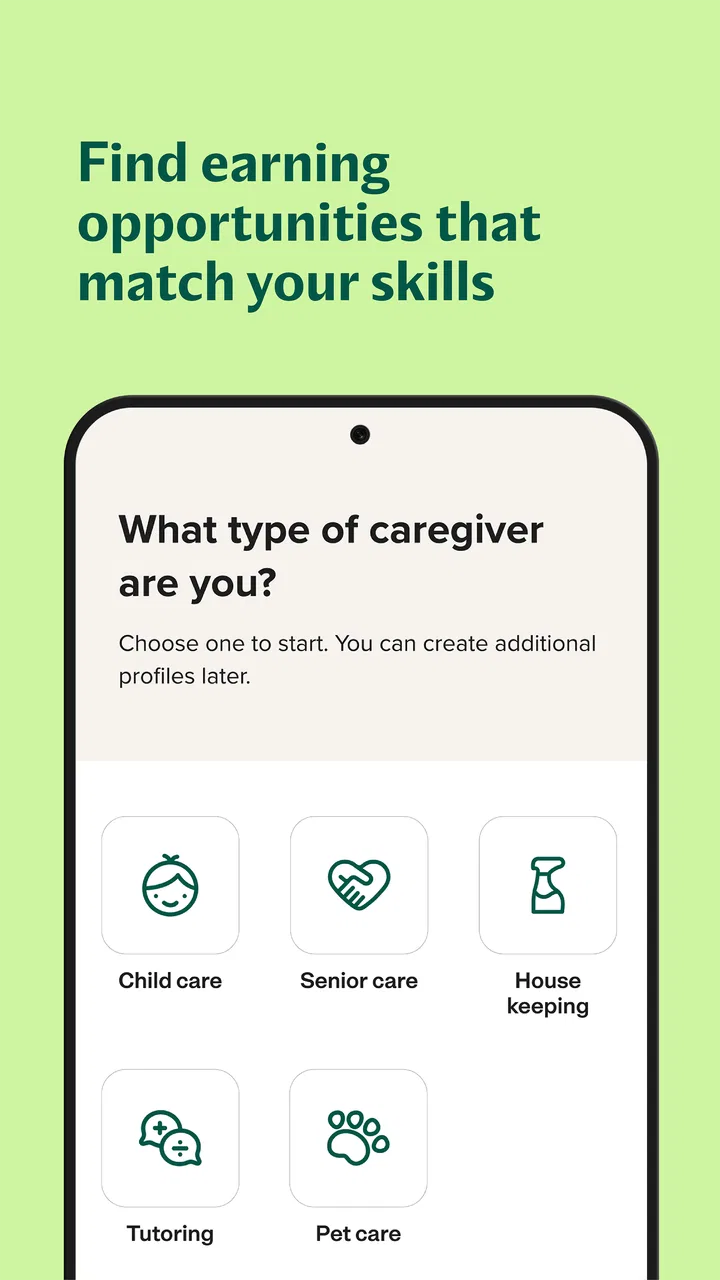
I would begin by deciding what kind of work I genuinely want before browsing. That sounds obvious, but the four areas covered here can involve very different responsibilities. Child care may require patience, active supervision, and comfort with a family’s routines. Senior care can involve a different level of communication and dependability. Pet care may be a better fit for someone who wants animal-related work, while housekeeping rewards attention to detail and consistency. The app is more useful when you use it to narrow your direction rather than simply applying to everything that appears.
A practical routine is to check opportunities when you can respond promptly, read each description slowly, and keep a short note of questions for the person posting the job. I would record the expected duties, timing, location, and any requirement that affects whether the role is realistic. This prevents a common mistake with broad job platforms: applying based on a title that sounds suitable, then discovering that the actual schedule or responsibilities do not match your day.
The app’s biggest strength is the way it encourages comparison across care categories. If your first search produces little that suits your availability, you can reconsider the type of work without starting from an entirely different service. That is especially useful for people building a flexible working life, such as someone combining occasional pet care with housekeeping or looking for child care work during specific parts of the week.
Why the broad category mix matters
Many job searches become frustrating because the worker has to choose one narrow identity too early. Care.com gives a more realistic view of care work: your transferable qualities may matter across several categories, but the responsibilities still need to be judged separately. Reliability, clear communication, and respect for another person’s home are valuable everywhere, yet they do not automatically qualify someone for every task.
I see this as a useful advantage for newcomers. If you are not sure whether you want to pursue child care, senior care, pet care, or housekeeping, browsing the different possibilities can help you understand what kind of work feels comfortable. It is not career counseling, and I would not treat a listing as proof that you are prepared for a demanding role. Still, the variety can help you make a more informed first decision than relying on a vague search for “care work.”
It also works well for experienced caregivers who want to adjust their workload. A person who has spent years in one area may want occasional jobs that use similar habits without requiring a complete career change. The app can support that exploration, provided the user remains honest about what they can safely and confidently handle.
A realistic use case for a busy week
Imagine someone who works part time and wants additional income without committing to a fixed full-time position. On a Sunday evening, they could open the app, review child care and pet care opportunities separately, and make a shortlist based on the hours they can actually keep. Rather than applying immediately, they might compare whether a recurring pet visit is more manageable than a child care request that stretches into late evening. The benefit is not simply finding more listings; it is seeing different kinds of work side by side and choosing the one that fits real life.
For a caregiver already working with one household, the same process can help identify a second opportunity that does not create an impossible commute or overlapping schedule. I would still verify every practical detail directly before agreeing. The app can help organize the search, but it cannot make a poor timetable workable.
Where the experience is strongest—and where it needs caution
The strongest part of the experience is focus. General job boards often mix care roles with office work, retail, delivery, and countless unrelated positions. Here, the purpose is much clearer. When I open the app with the intention of finding care work, I am not spending the first part of the search filtering out irrelevant industries. That makes the browsing process feel more purposeful, particularly for someone who already knows they want work connected to a household, family, older adult, pet, or home.
The free price also lowers the barrier to trying it. You can explore the type of opportunities available before deciding whether this approach suits you. That matters for people who are testing a new direction and do not want to commit money before understanding the value of the service. Its Everyone rating also makes it broadly approachable, although the responsibilities involved in care work still call for adult judgment and careful communication.
Another strength is the potential to use the app as a planning aid rather than a quick application button. I would compare several listings, identify repeated expectations, and use that information to improve how I describe my own experience. For example, if many roles emphasize consistency, specific routines, or comfort with household tasks, that tells me which parts of my background deserve clearer explanation. This is a more thoughtful use of the platform than sending the same short message to every poster.
There is also a useful trade-off in the app’s broad scope. More categories can create more possibilities, but they can also make the search feel less focused if you do not set boundaries. I recommend choosing one primary care area first and treating the others as secondary options. That keeps the process manageable and reduces the temptation to accept work simply because it is available.
The main weakness: discovery is not the same as trust
The meaningful limitation is that finding an opportunity is only the beginning. A listing can tell you what a household says it needs, but it does not by itself establish whether the arrangement will be a good match. Care work involves personal safety, privacy, punctuality, communication, and expectations that may be difficult to capture in a short posting. The app can make the search more convenient, but convenience should never become a reason to skip a proper conversation.
I would ask direct questions before accepting anything: What does a normal shift involve? Which tasks are essential rather than occasional? Who will be present? What happens if the schedule changes? For pet care, I would want to understand the animal’s temperament and routine. For senior care, I would clarify whether the role is companionship, household assistance, or something more demanding. For child care, I would discuss supervision expectations and the family’s daily rhythm. For housekeeping, I would confirm the scope of the work instead of assuming that every household uses the term in the same way.
This is where the app compares differently with personal referrals. A recommendation from someone you trust may give you more background about the household, while Care.com can offer broader reach and more options. Neither route removes the need for judgment. The app is better when your main problem is discovering opportunities; a referral may be better when confidence in the people involved matters more than having a large pool to browse.
It also differs from a traditional agency. An agency may provide more structured matching or a clearer process, depending on the service, while this app gives users a more direct way to explore jobs. Direct access can feel empowering, but it places more responsibility on you to assess fit, communicate clearly, and keep your own records. I would choose the app for flexibility and reach, not because I expect it to manage every part of the working relationship.
Small habits that make the search safer and more efficient
My first practical tip is to create a personal screening checklist before replying. Keep it short: acceptable travel, available hours, preferred care category, tasks you will not take, and the experience you can honestly claim. This prevents attractive wording from pulling you toward a role that conflicts with your limits. It also makes your replies more consistent and saves time when several opportunities appear together.
My second tip is to treat the first conversation as a two-way interview. You are not only trying to impress a potential employer; you are checking whether the household communicates clearly and respects your questions. If the description is vague, ask for examples. If the schedule sounds flexible, ask what flexibility means in practice. If the role crosses into tasks you have not done before, say so before agreeing rather than hoping you will work it out later.
My third tip is to separate “interesting” from “suitable.” A senior care opportunity may sound meaningful but still be wrong if you are not prepared for its duties. A housekeeping listing may offer convenient hours but be unsuitable if the expected workload is unclear. I would keep a shortlist divided into strong matches and possibilities requiring more information. That simple distinction makes the app feel less like an endless feed and more like a deliberate job-search tool.
A fourth useful habit is to update your own presentation whenever your experience changes. Because the app covers several care areas, a generic profile can undersell you. If you have experience with children, animals, household routines, or supporting an older person, describe those abilities in plain language and keep the claims accurate. A focused description helps the right opportunity stand out and reduces mismatched conversations.
Who should use it, and who should look elsewhere?
I think this app is a strong fit for people who want a flexible way to explore care-related work and are comfortable taking an active role in the selection process. It is particularly useful for someone entering the field, a caregiver seeking additional opportunities, or a worker whose skills cross more than one category. The free access makes experimentation easier, and the concentration on care work is more relevant than a general employment app for this specific goal.
It may also suit people who dislike relying entirely on personal networks. Not everyone has friends or relatives who can recommend households needing help. A dedicated platform can widen the search and expose you to opportunities you would not hear about locally through conversation alone. The trade-off is that you need to compensate for that lack of personal context with better questions and a slower decision process.
I would be more cautious about recommending it to someone who wants a fully managed employment arrangement. If you expect an agency to define every duty, handle every communication, and remove most uncertainty, this may feel too hands-on. It is also not the right choice for anyone tempted to accept care work without understanding the responsibility involved. Broad access is helpful only when paired with realistic self-assessment.
People seeking highly specialized professional roles may also need a more specialized route. The app’s value comes from bringing common household care needs together; it should not be treated as proof that every role matches a person’s training or professional scope. When a position involves responsibilities beyond your background, a dedicated professional channel or formal employer may be more appropriate.
Device details and what to expect from the app’s maturity
The app was released on May 31, 2018, and its current version is 25.43.1. It requires Android 8.0 or later, so anyone using an older Android device should check compatibility before planning around it. The long-running presence and large user base make it feel like an established option rather than a brand-new experiment, but that should not change the way I evaluate individual opportunities.
Because it is a mobile job-search app, I find it most useful in short, repeated sessions: checking new possibilities, reviewing details, and replying when I can give a thoughtful answer. I would not use it as a substitute for keeping a calendar, tracking conversations, or writing down agreed responsibilities. Those habits remain important because the app helps with discovery, while the actual quality of the arrangement depends on what happens after contact.
The free model is convenient for browsing, but “free” should not be confused with effortless. Your time is still an investment. Reading carefully, asking questions, and deciding against poor matches can take longer than sending quick applications. In my experience, that extra care is exactly what protects the app from becoming noisy or overwhelming.
After weighing its strengths and limitations, I recommend Care.com: Find Caregiver Jobs to readers who want a focused place to explore child care, senior care, pet care, or housekeeping opportunities and who are willing to verify the details themselves. Its best quality is practical breadth: it gives several kinds of care work a shared home and makes it easier to compare paths that might otherwise require separate searches.
I would not describe it as a guarantee of a safe, suitable, or well-organized job. The app cannot replace a careful conversation, honest assessment of your abilities, or sensible boundaries around personal and household work. Used with that understanding, it is a useful first step and a convenient way to widen your options. Used as a reason to rush into the first appealing listing, it loses much of its value.
My final verdict is positive but measured. The app is worth trying if your goal is to discover caregiver work rather than wait for a referral to appear. Start with one category, set firm limits, compare several opportunities, and treat every conversation as part of the evaluation. For that audience, Care.com Inc’s app offers a practical route into a scattered job market without pretending that finding a listing is the same as finding the right job.
FAQs for Care.com: Find Caregiver Jobs
01What is Care.com: Find Caregiver Jobs?
Care.com: Find Caregiver Jobs is a platform designed to connect caregivers with families in need of services. It offers a variety of job listings including babysitting, senior care, pet sitting, and housekeeping. Users can create profiles, apply for jobs, and communicate with potential employers directly through the app.
02Is Care.com free to use for caregivers?
While creating a basic profile and browsing job listings on Care.com is free, there are premium features available for a subscription fee. These include enhanced visibility for your profile, access to more job listings, and the ability to message employers directly, which can improve your chances of finding a job.
03How can I ensure my safety while using the app?
Care.com provides safety resources including background check options, safety tips, and a secure messaging system. It's recommended to conduct interviews in public places initially and to always trust your instincts. Care.com also offers insights into how families can ensure a safe hiring process.
04What types of caregiving jobs are available on Care.com?
Care.com offers a wide range of caregiving opportunities, including babysitting, senior care, pet care, tutoring, and housekeeping. Each category has specific listings, allowing caregivers to find jobs that match their skills and availability. Users can filter jobs by location, pay rate, and job type.
05How can I build a strong profile on Care.com?
To build a strong profile on Care.com, include a detailed description of your caregiving experience, skills, and qualifications. Upload a professional photo, list references, and consider upgrading to a premium membership for better visibility. Regularly updating your profile and responding promptly to messages can also enhance your profile's appeal.
Pros
- User-friendly interface for easy navigation.
- Wide range of job listings available.
- Customizable job alerts for updates.
- Secure messaging system with employers.
- Detailed profiles for informed decisions.
Cons
- Limited free features without subscription.
- Subscription costs may be high for some.
- Some job listings may lack details.
- Profile approval can take time.
- Limited support for international users.

Care.com: Find Caregiver Jobs
Gallery